This is an old revision of the document!
<font 16px/inherit;;inherit;;inherit>Telegram Bot</font>
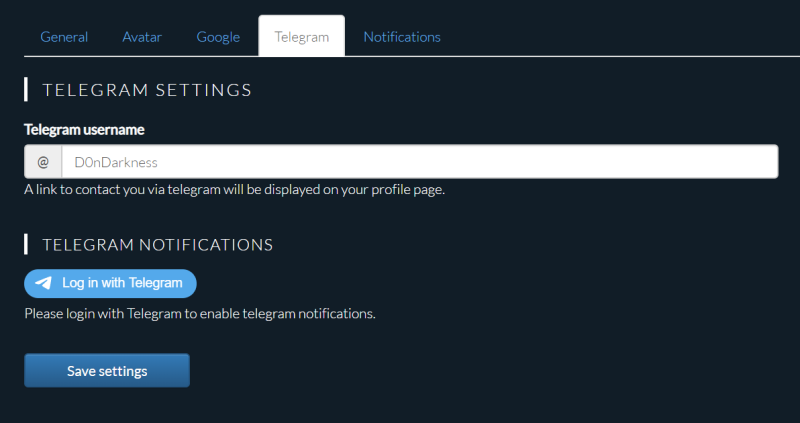
1. Go to Settings - Telegram
2. Click “Login via Telegram” to authorize the Bot to send Notifications
3. Click on “CONFIRM” at the Telegram message you just received. Your account is now connected, but you will not receive any telegram notifications until you enable them.
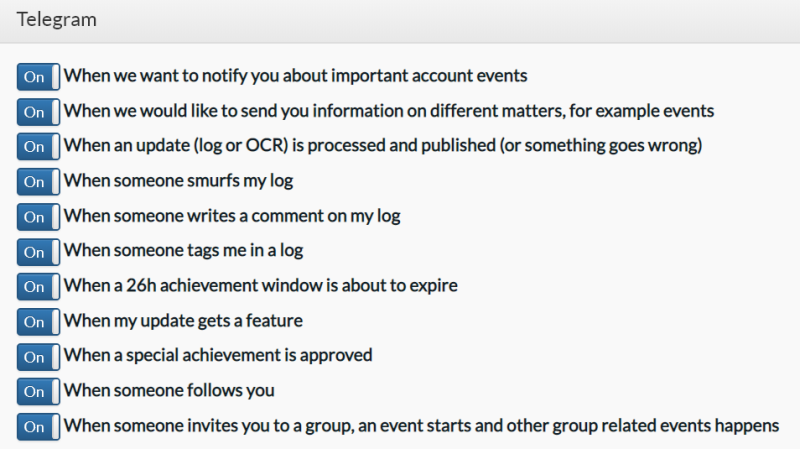
4. Click Settings - Notifications
5. Activate / deactivate what you would like to receive as notofication via Telegram.
<font 16px/inherit;;inherit;;inherit>Functionality</font>
For now, the Bot only sends out notifications. Future improvements are planned.